Three tiers of AI inside CalMApp.
Each tier replaces more human work than the one before it.
The reports your team already builds — now AI-generated.
Every monthly retest backlog report, every revenue breakdown, every operational digest your ops team builds by hand today — the AI generates it automatically from CalMApp's database. Same numbers, no human in the loop. The first tier replaces existing labor.
Reports nobody asked for — but everyone needs.
The AI looks at your data and surfaces patterns your team didn't think to query. New report types you'd never have requested but immediately recognize the value of. The second tier creates capability you didn't have before.
Not what happened. What to do about it.
The third tier is the differentiator. The AI doesn't just report — it interprets. “Blanket fail rate is at 60%, well above the 3% industry norm. Investigate field conditions or storage. Three customer accounts hold 40% of your overdue retests; here's the order to call them in.” Action, not just data.

Tier 3 in the product — the AI Briefing tells the team what to do, not just what happened.Prototype · representative data
What they look like.
Deploy as a dedicated executive portal, or embed inside CalMApp. Same dashboards, same chat, same intelligence — different surface for different audiences.
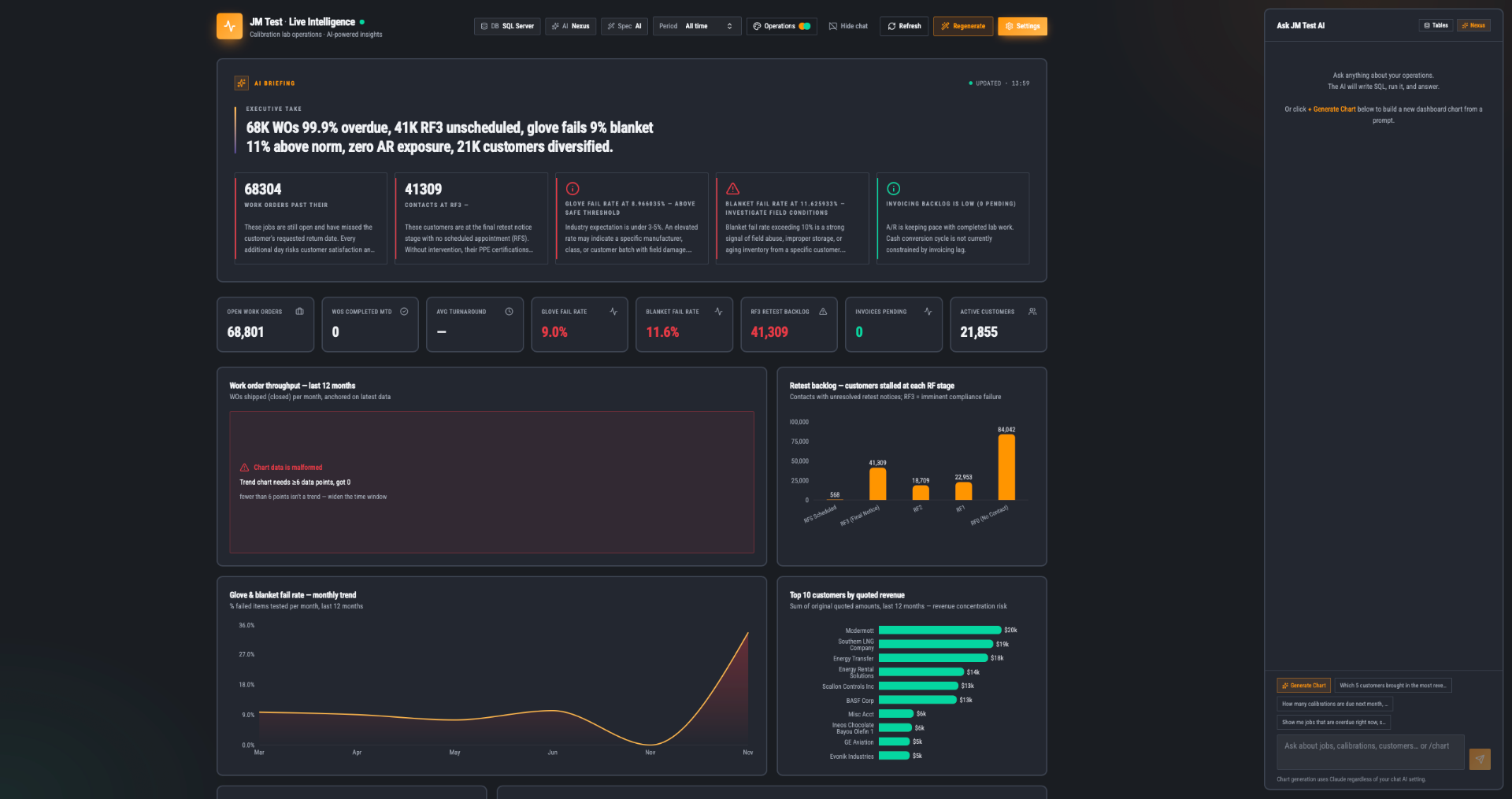
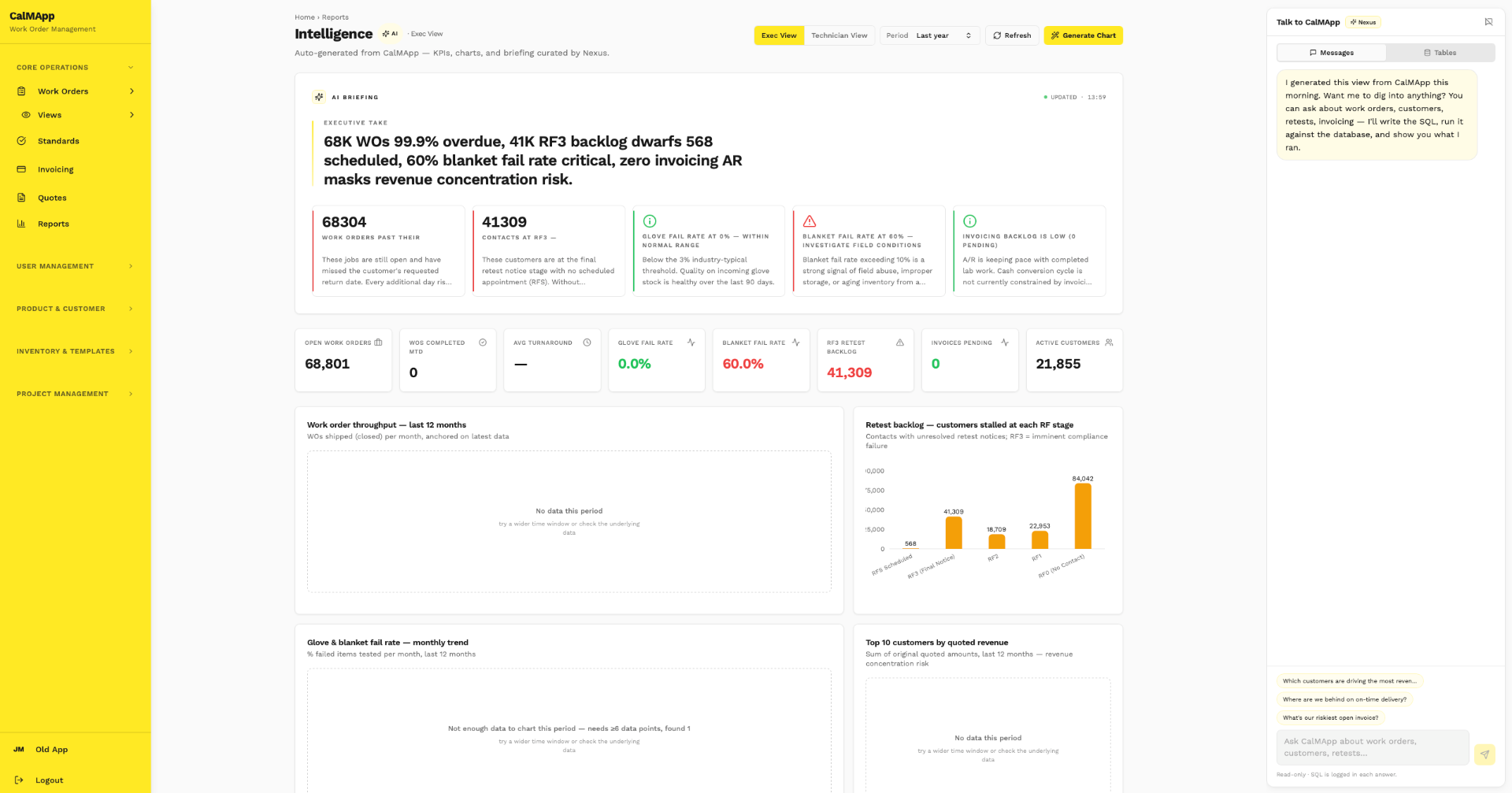
Five role-shaped views, one engine. Deploy embedded in CalMApp or as a standalone portal — same dashboards, same chat, different surface for different audiences.
Tailored to every role at JM Test.
All three tiers, personalized. The CEO doesn't look at the same dashboard as the shop floor.
Revenue trends, customer concentration risk, strategic KPIs. Top of the org sees only what moves the needle.
Data quality, integration health, system reliability. The technical view of operations.
Queue depth, SLA risk, throughput, pass/fail by manufacturer. Bottlenecks and staffing.
Personal queue, items at bench, today's worklist, urgent retests. What each technician actually needs to do this hour.
Every role gets all three tiers — replacement, derived, insights — shaped to what they actually do. The framework extends to Finance, Sales, Customer Success by prompting, not engineering.
Same database. Same AI. Two completely different dashboards.
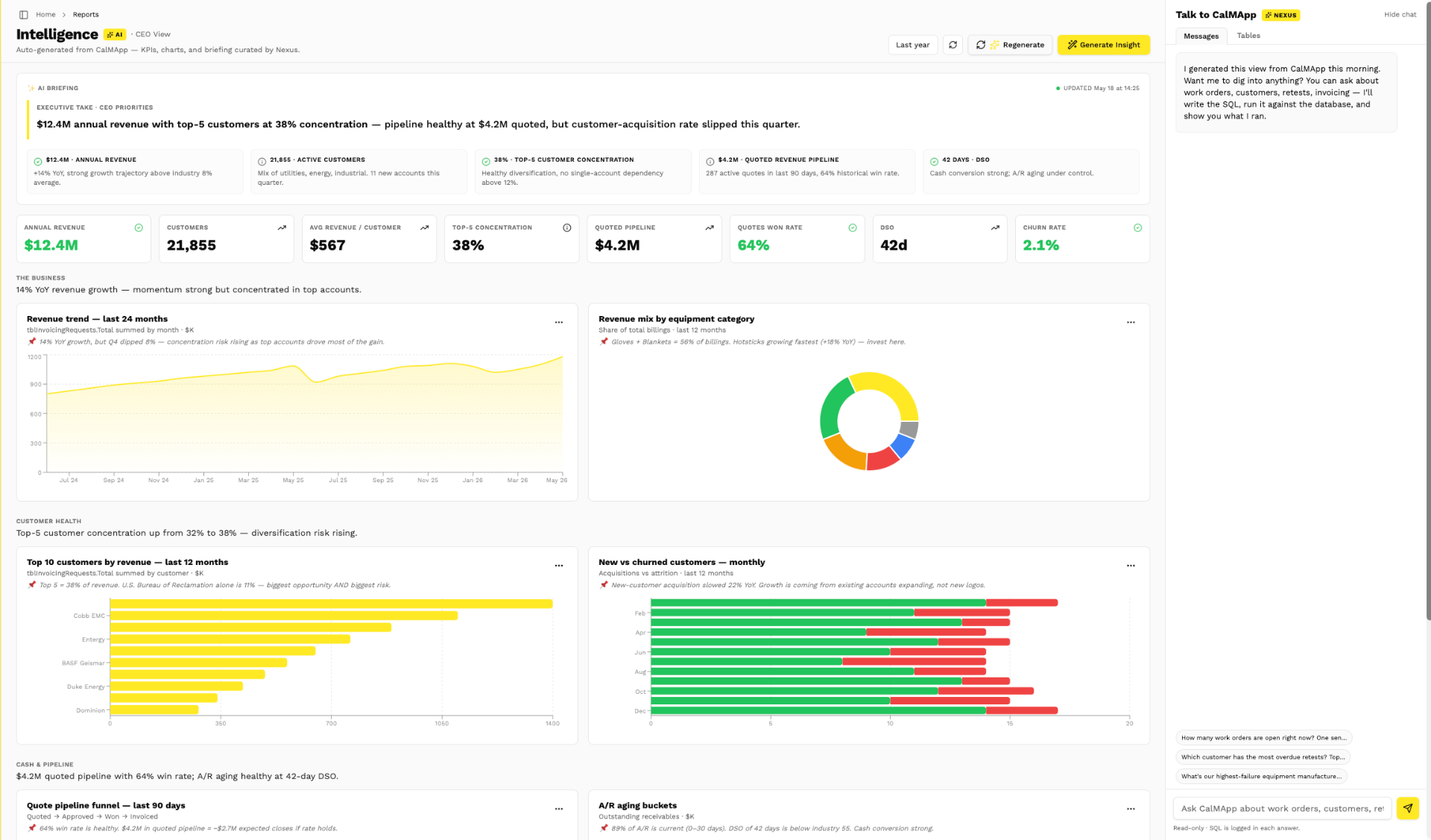
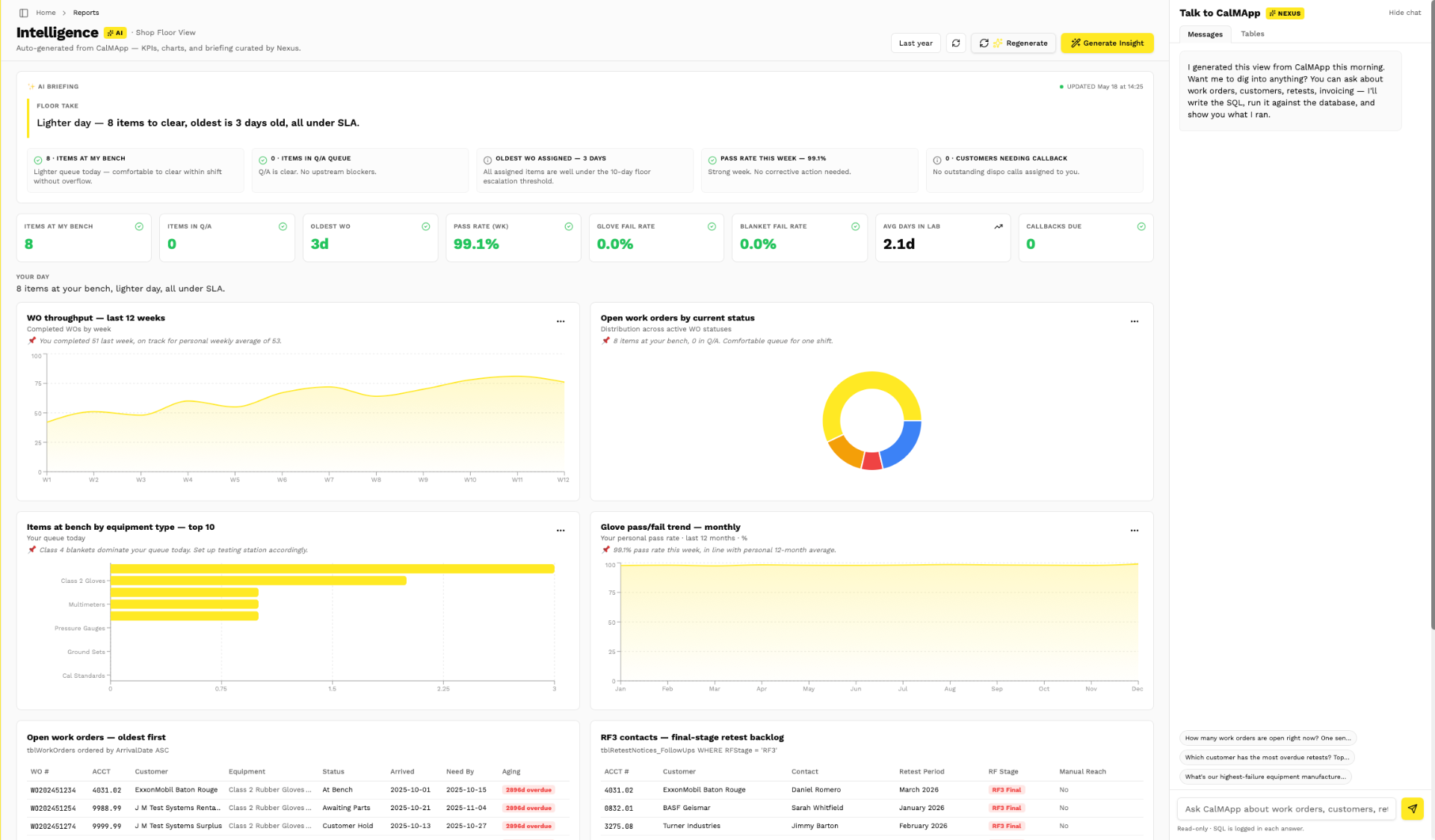
Prototype shown · representative data · the live engine generates these from your CALMAPP database.
How it works.
- ~50 tables sampled · 6–8 KPIs · 4–6 charts · 2–3 tables per dashboard
- Every chart re-runs its SQL on page load — snapshot spec, live values
- Period dropdown re-cuts the same spec via in-place SQL rewriting
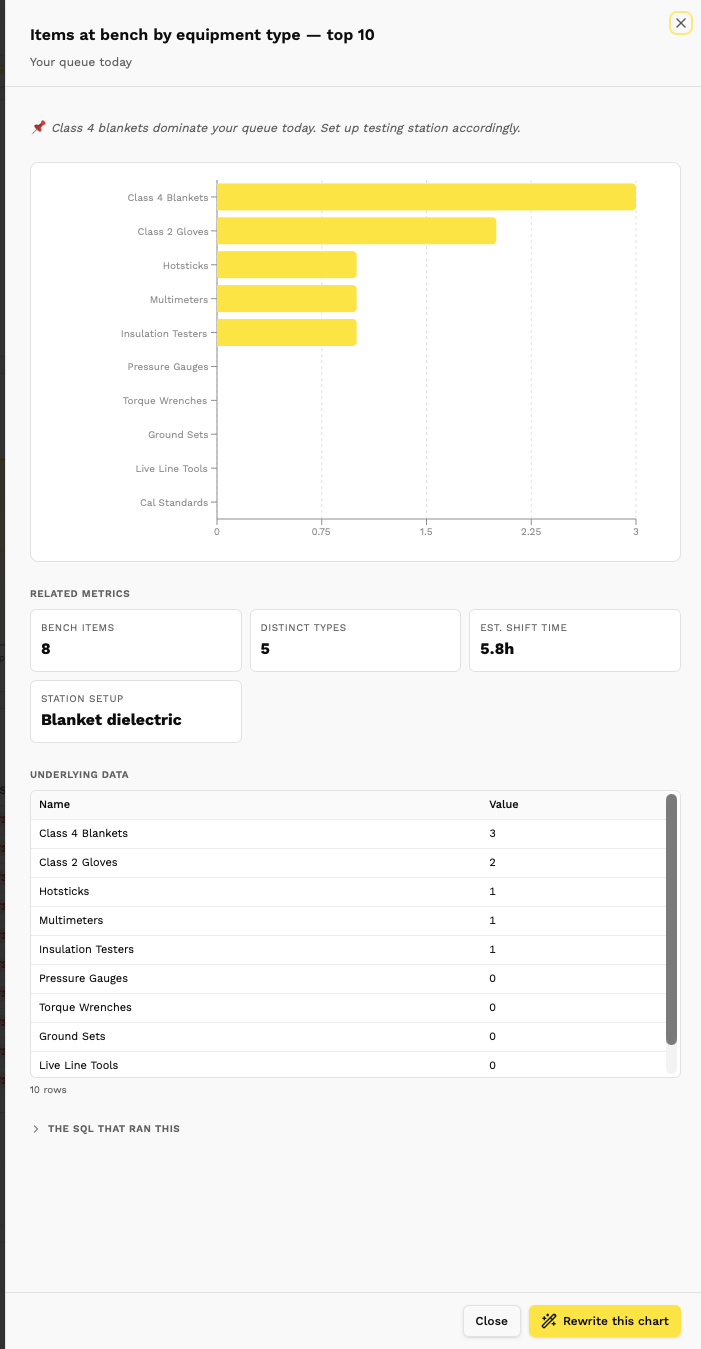
Every chart, one click from the SQL that built it. Nothing is hidden, nothing is hallucinated — paste the query into your own database and get the identical numbers.Prototype · representative data
Ask it anything.
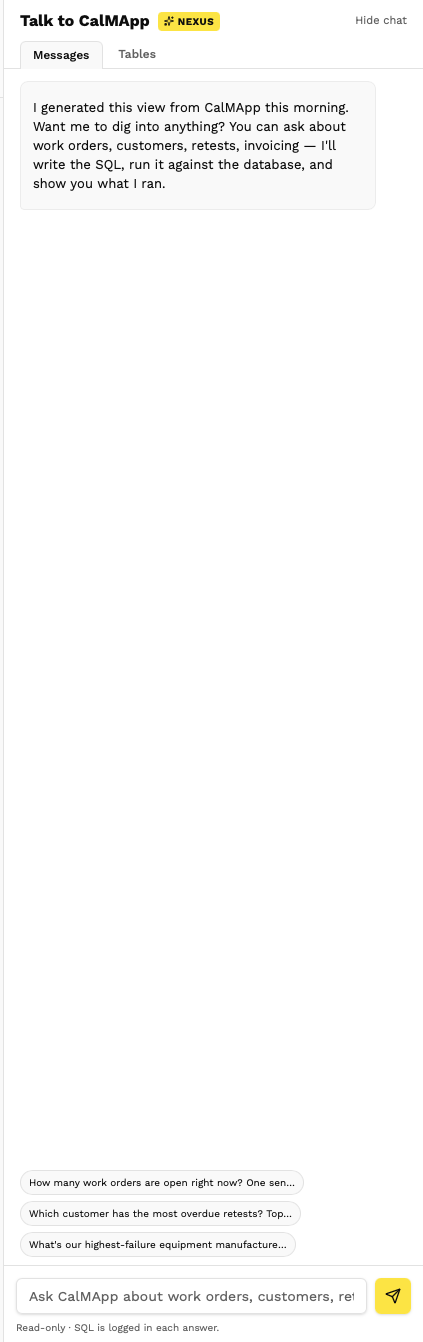
The chat panel takes plain English, writes the SQL, runs it, and shows you exactly what it ran. Ask a follow-up, drill in, refine — the conversation stays grounded in your live data.
No black box — not because the model is hidden, but because every answer carries the query that produced it.
Prototype · representative data
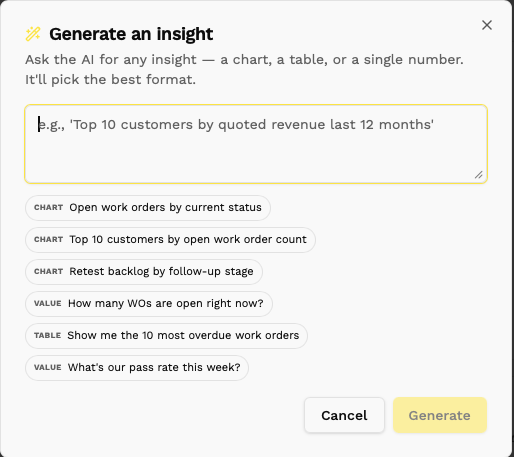
Generate any insight, on demand.
Generate Insight turns a single prompt into the right artifact for the dashboard — the AI picks the format: a chart, a table, or a single number — and drops it in, live against your data.
It's how non-technical users build their own views without filing a ticket. Every insight still carries its SQL, so engineering can audit anything the business ships.
Prototype · representative data